
SpiraApps by Inflectra
Quick Links SpiraApp.
The Quick Links SpiraApp provides users with the ability to add hyperlinks to various artifacts within Spira or external resources directly on the Product Home or My Page. This enhances navigation and productivity by offering quick access to frequently used links. This SpiraApp widget can be added on Product Home or My Page.

About this SpiraApp
Where the app plugs in.
Product settings
Product home page widget
My page widget
Setup
System settings
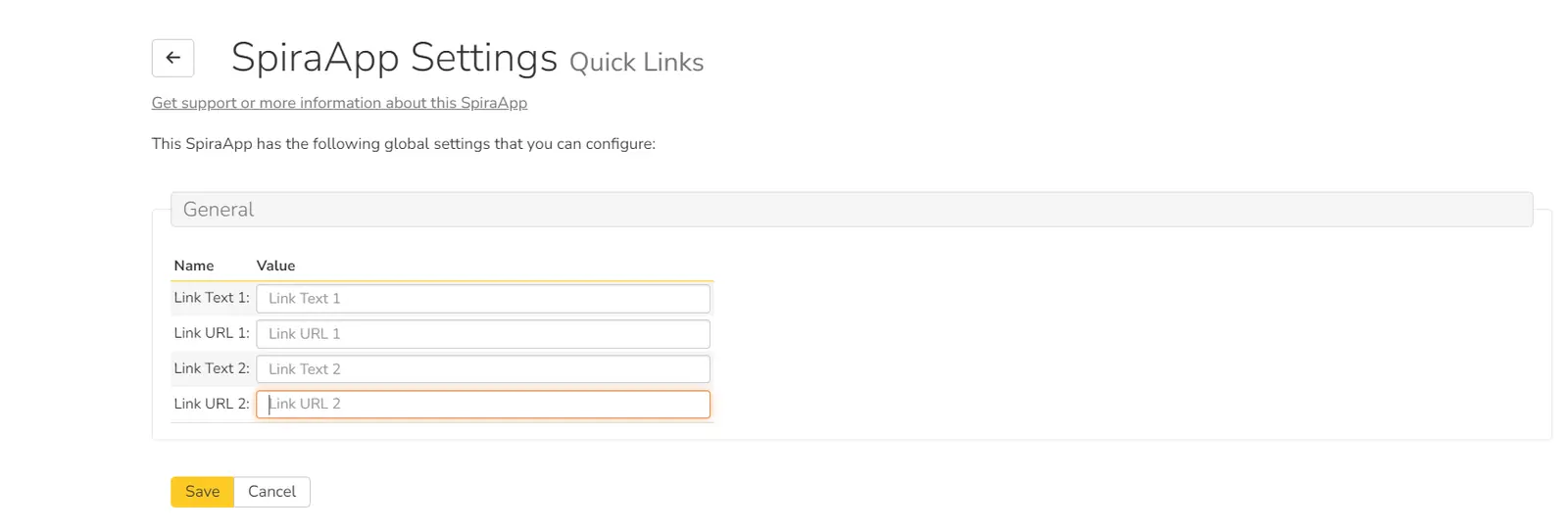
Once the SpiraApp has been activated from system settings, system admins can add up to 2 links in the Link URL field to any artifacts or any external resources. Admins can also provide link names in the Link text field. Once the links have been added, click on save.
Using this SpiraApp
My Page
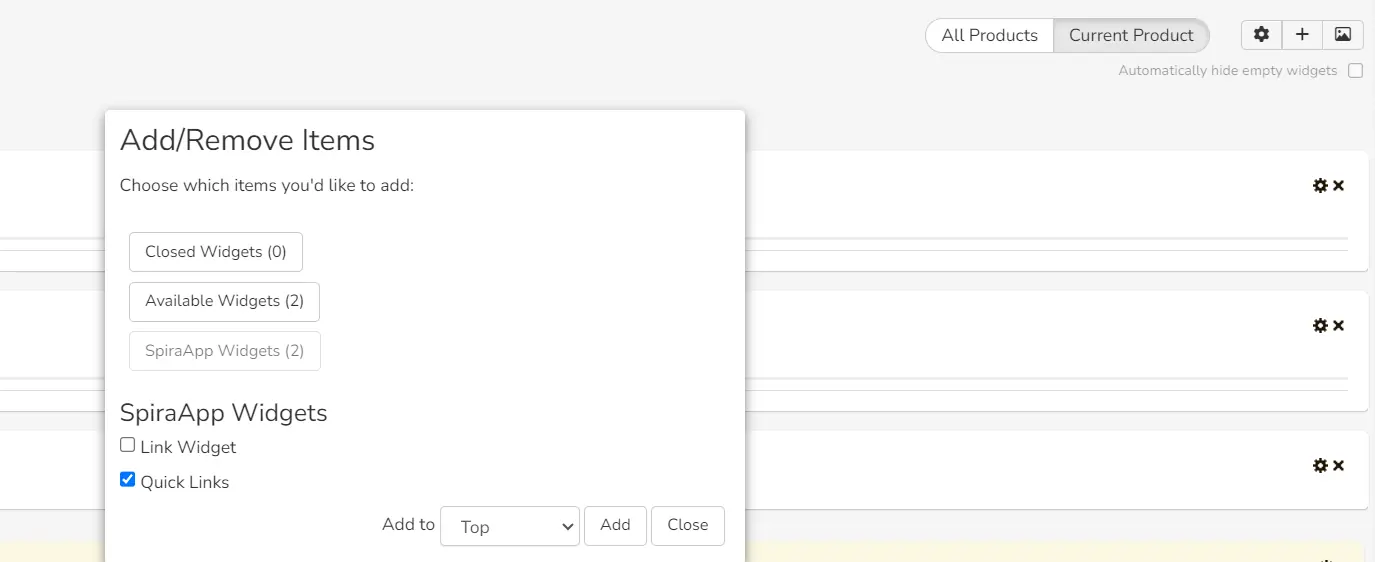
- Users can add the widget by clicking on the + button on My page.
- Once the widget has been added, a list of links will appear on My Page.
- Links added by System Admins will appear on the My Page, accessible to all users who have added the Quick Links widget on My Page.
- My Page links can be configured only by System Admins.
- Clicking on the links will open the link in the new tab.

Setup
Product settings
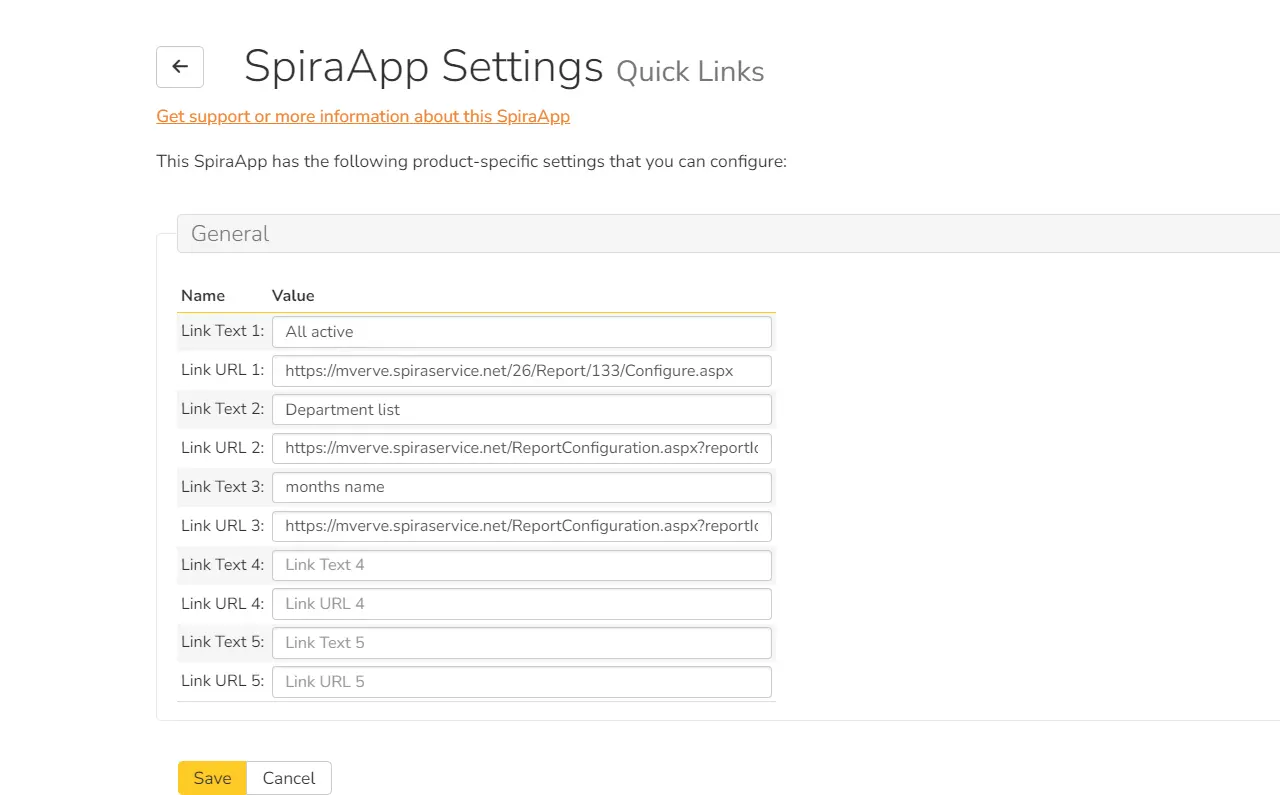
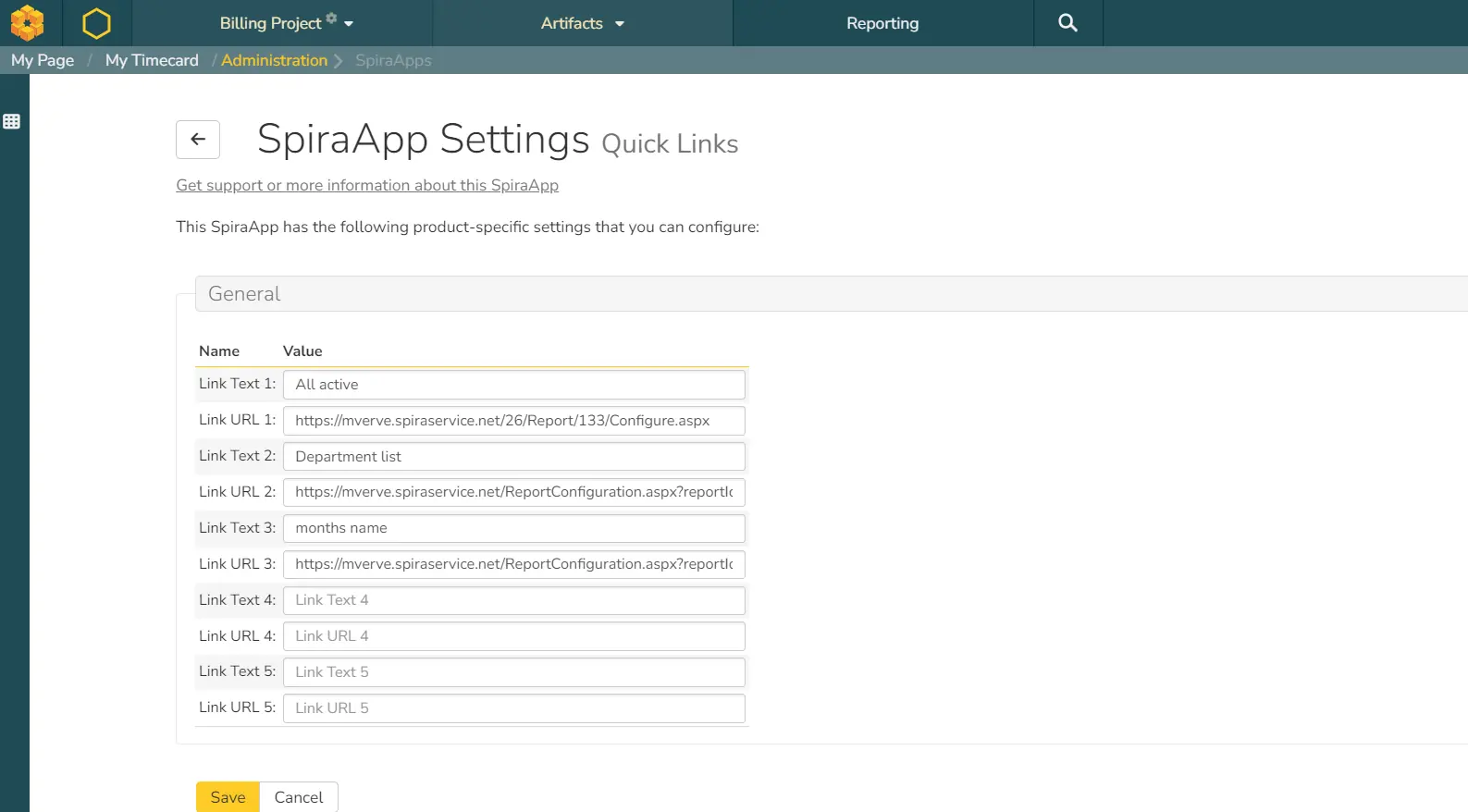
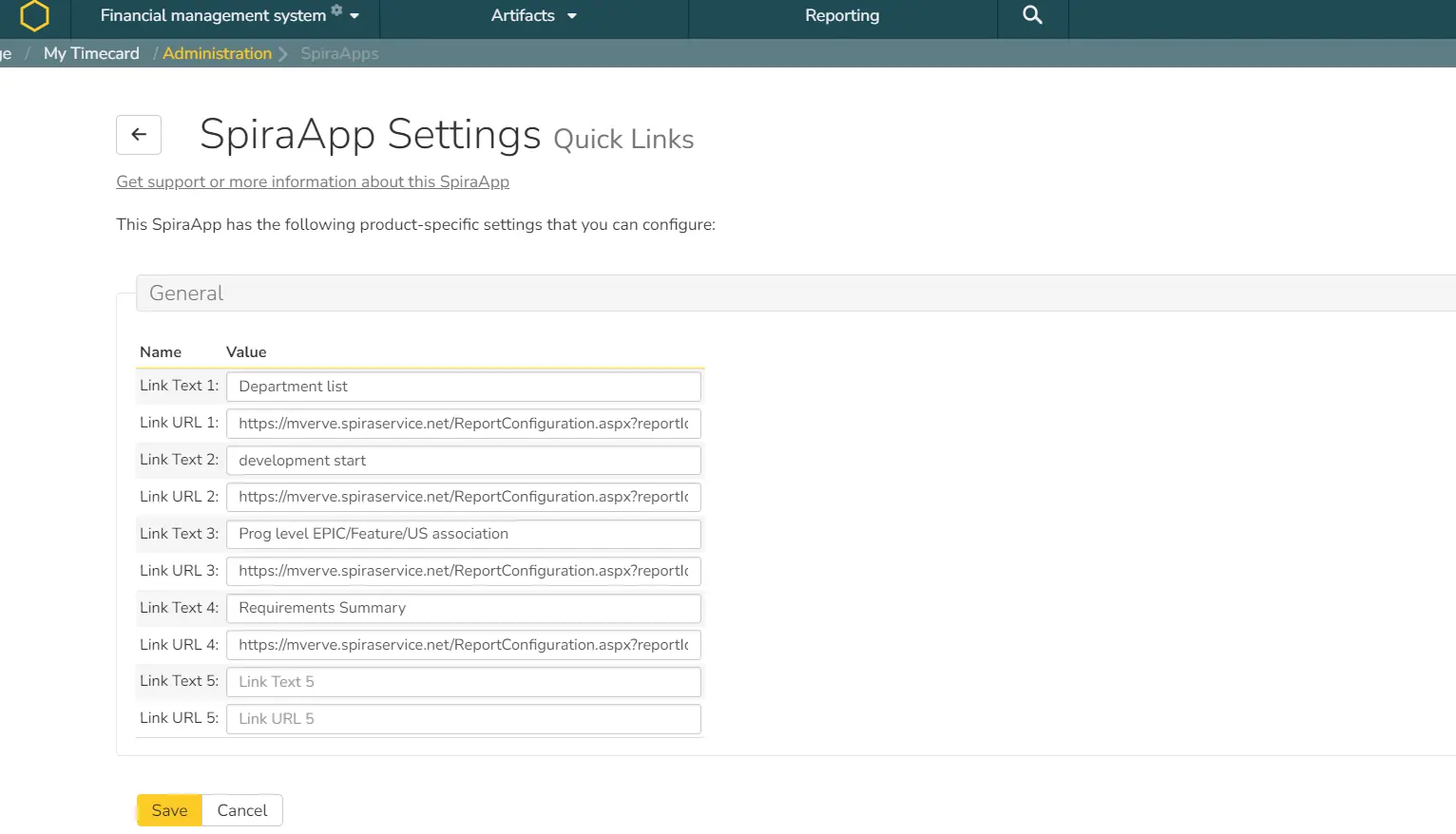
Once the SpiraApp has been enabled from the product settings, product admins can add up to 5 links in the Link URL field to any artifacts or any external resources. Admins can also provide link names in the Link text field. Once the links have been added, click on save.
Using this SpiraApp
Product Home
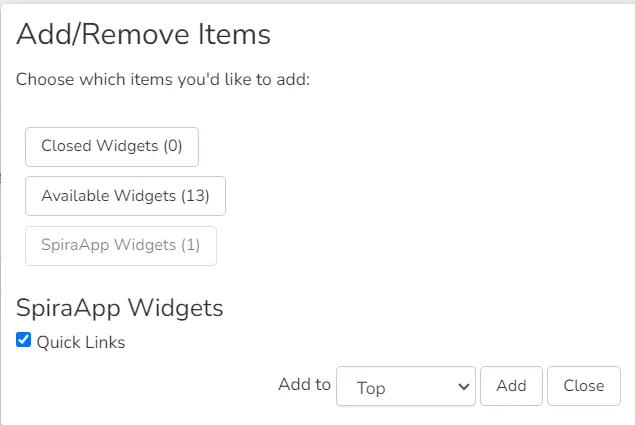
- Users can add the widget by clicking on the + button on the Product Home.
- Once the widget has been added, a list of links will appear on the Product Home page.
- Links added by Product Admins will appear on the Product Home page, accessible to all users who have added the Quick Links widget on Product Home.
- Product A and Product B can have separate sets of links configured by their respective Product Admins.
- Clicking on the links will open the link in the new tab.
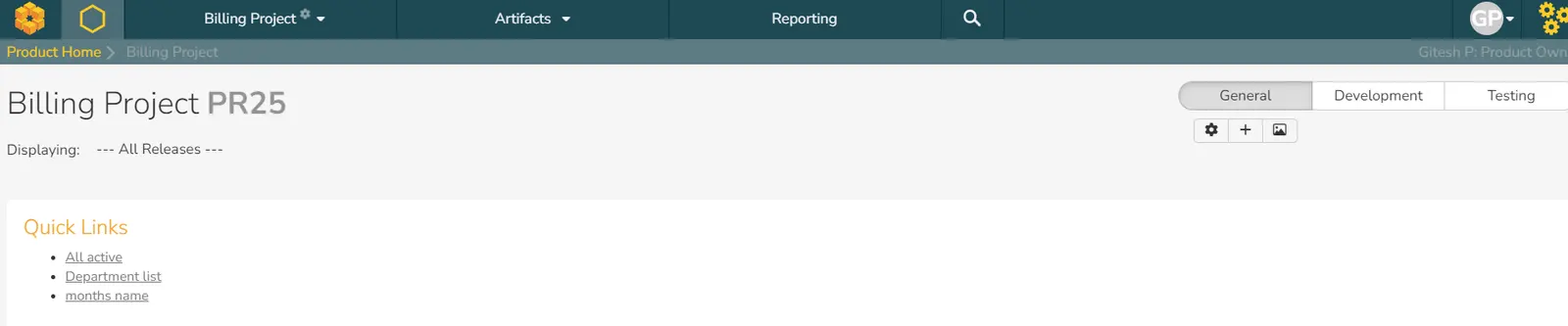
Product A and Product B can have separate sets of links configured by their respective Product Admins.
Product A
Product B
Support
If you encounter any issues or have questions about the Quick Links widget, please contact our support team at contact@mverve.com.
What are SpiraApps?
SpiraApps by Inflectra are powerful add on features that enhance the Spira Platform (SpiraTest, SpiraTeam, and SpiraPlan), offering tailored functionalities to meet industry compliance and specific project needs. With seamless integration, easy installation, and robust developer support, SpiraApps empower you to optimise your software development, testing, and project management practices effectively.
Explore Spira AppsLiked what you see